Build a Database-Backed Audio Store
Beacon Beats is the second app in the tutorial order. It keeps the declarative interaction model from todo_list, then adds accounts, a cart, checkout, protected downloads, and owner reporting on top of a relational data model.
The business problem is familiar: launch a polished digital-product store without separately assembling an API layer, authentication stack, client state store, media delivery path, private-download layer, and deployment runtime.
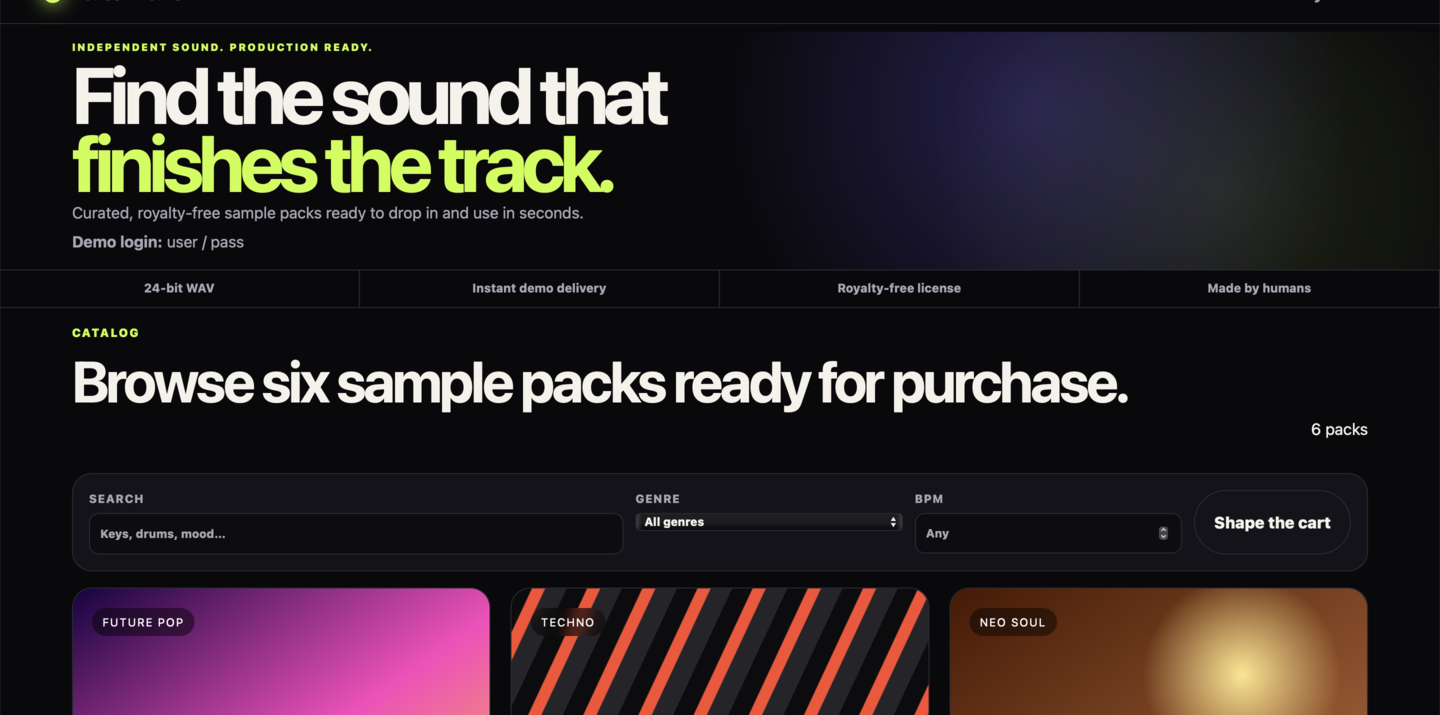
The storefront opens as a finished product surface, not as an API demo: brand, catalog, cart flow, checkout, and private delivery all sit behind one app.
Use this pattern for sample packs, presets, templates, fonts, ebooks, licensed downloads, or other digital catalogs. Replace the demo payment action with a real provider integration when the product is ready for production.
Run it
The Debian package already installs the built Beacon Beats artifact under /srv/pharos/apps/commerce_spa. You do not need to build it again.
Start the installed runtime:
sudo systemctl start pharos
Open http://127.0.0.1:7323/beacon-beats/, then:
- Play either preview on a pack and filter the catalog.
- Sign in as
userwith passwordpass. - Add a pack to your cart. The cart changes without a page reload.
- Open checkout and choose Simulate a purchase. No card data is requested and no money moves.
- Download the purchased ZIP from My Library.
- Open Owner and see one paid order, gross demo sales, and the authorized download starts.
- Return to checkout once and choose Simulate a declined payment. The cart stays intact and no order or entitlement is created.
The installed app stays under /srv/pharos/apps/commerce_spa.
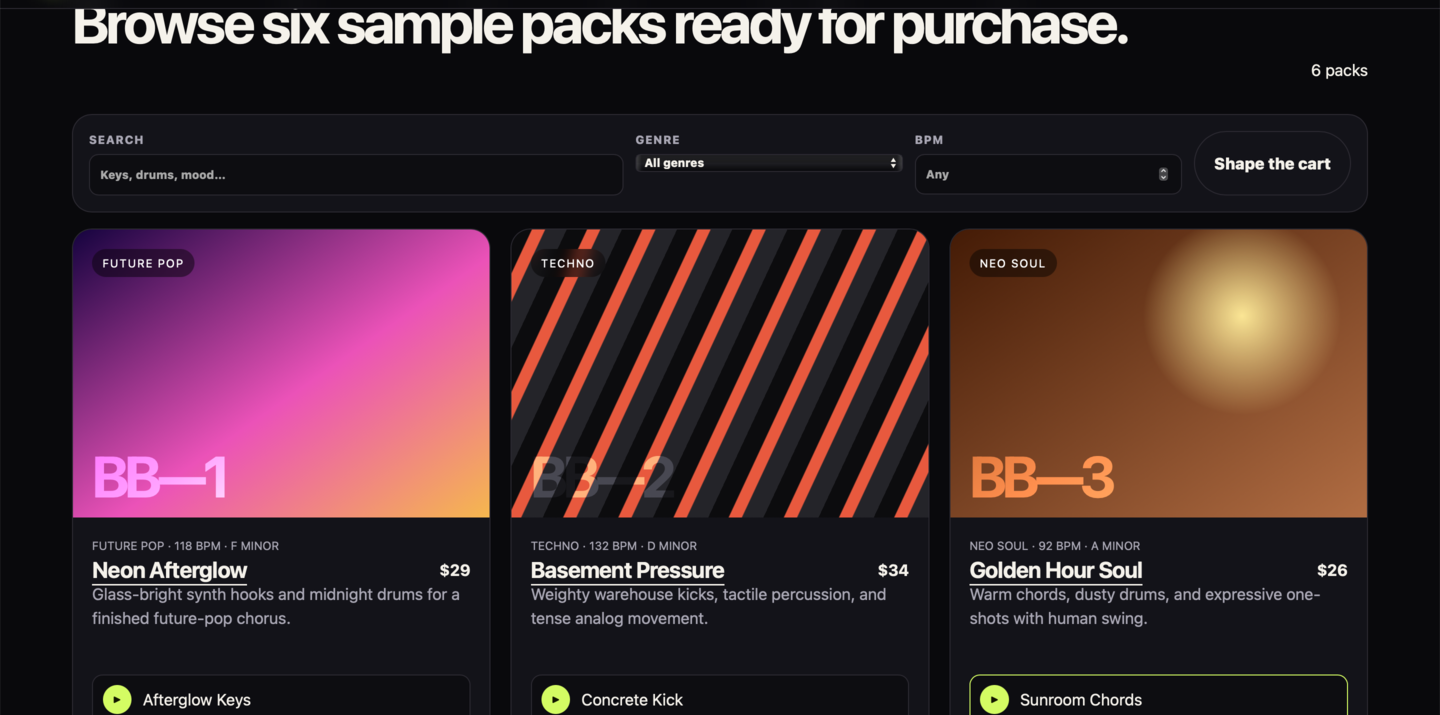
The tutorial’s core interaction surface lives here: one filter form, preview controls that genuinely belong in browser JavaScript, and add-to-cart forms that stay declarative.
- Filter bar is one normal GET form: it keeps the same model as Todo List.
- Product cards own identity and display copy: then the app adds auth, checkout, private delivery, and owner reporting.
- Add to cart is still a plain form: the complexity increase stays declarative.
Open these files next
Once the storefront is running, read the source in this order:
pharos.app.yml → storefront.page.yml → storefront.body.html → catalog.yml → cart.yml → routes.yml → data/migrations/sqlite/ → audio-player.js
Concretely:
./commerce_spa/pharos.app.yml./commerce_spa/templates/storefront.page.yml./commerce_spa/templates/storefront.body.html./commerce_spa/data/features/catalog.yml./commerce_spa/data/features/cart.yml./commerce_spa/data/contracts/routes.yml./commerce_spa/data/migrations/sqlite/./commerce_spa/static/js/audio-player.js
That sequence shows the app shell, the product UI, the transaction contracts, the relational storage shape, and finally the one browser behavior that really belongs in JavaScript.
Create an editable copy
When you are ready to change the app itself, copy the packaged example source into a writable local app root:
cp -R /usr/share/pharos/examples/commerce_spa ./commerce_spa
On macOS, copy from /usr/local/share/pharos/examples/commerce_spa instead.
Build and run your editable copy:
sudo pharos build app commerce_spa --app-dir ./commerce_spa --build-dir /srv/pharos
pharos migrate apply app commerce_spa --app-dir ./commerce_spa --backend sqlite
sudo systemctl restart pharos
Open http://127.0.0.1:7323/beacon-beats/.
The working source remains in ./commerce_spa/, the built artifact remains under /srv/pharos/apps/commerce_spa/, while the database and runtime state live under /var/lib/pharos/ and /var/state/pharos/.
Make your first Beacon Beats change
Open:
./commerce_spa/static/css/theme.css
Change the accent colors at the top of the file:
:root {
  --accent: #f7ff58;
  --accent-hot: #ff5ca8;
}
You can also change the storefront headline in:
./commerce_spa/templates/storefront.body.html
Rebuild the app and reload the shared runtime:
sudo pharos build app commerce_spa --app-dir ./commerce_spa --build-dir /srv/pharos
pharos migrate apply app commerce_spa --app-dir ./commerce_spa --backend sqlite
sudo systemctl restart pharos
Refresh the storefront. Your local database and purchases remain in /var/lib/pharos/commerce_spa.sqlite3.
Contract and runtime flow
Adding one cart item in a conventional client-rendered app commonly introduces:
POST /api/cart/items       API route and controller
fetch catalog/cart         client data loading
client cart store          duplicated server state
handleSubmit + fetch       mutation plumbing
loading and error state    manually coordinated
router navigation          success transition
refetch or invalidate      post-mutation synchronization
auth and CSRF wiring       repeated endpoint middleware
In Beacon Beats, the path is still narrow:
product card form → declared action → session + input checks → parameterized transaction → cart fragment refresh
./commerce_spa/data/features/cart.yml uses a narrow list_create bundle for the cart page plus add-to-cart flow. The bundle still compiles into ordinary page, route, and action contracts:
bundles:
  shopping_cart:
    kind: list_create
    policy: customer
    auth: session_required
    target: cart-panel
    fallback_redirect: /cart
    list:
      page_id: cart_page
      path: /cart
      title: Your cart — Beacon Beats
      template: templates/cart.body.html
      queries: [current_cart_items]
      response:
        target: app-main
        history: push
        queries: [current_cart_items]
    create:
      action_id: add_pack
      path: /cart/items
      input:
        product_id: {type: integer, required: true, minimum: 1}
      transaction:
        steps:
        - require: {query: published_product}
        - require: {query: current_cart}
        - upsert:
            entity: shopping_cart_item
            unique_by: [cart_id, product_id]
            values:
              cart_id: query.current_cart.id
              user_id: subject.user_id
              product_id: query.published_product.id
              product_slug: query.published_product.slug
              product_title: query.published_product.title
              price_minor: query.published_product.price_minor
              price_display: query.published_product.price_display
              currency: query.published_product.currency
              download_asset_key: query.published_product.download_asset_key
      render: cart_summary
      queries: [current_cart_items]
templates/fragments/product_card.html submits only product identity. The browser never supplies price, owner, currency, or download path:
<form pharos-action="add_pack" pharos-target="cart-panel">
  <input type="hidden" name="product_id" value="{id}">
      <button class="button button-primary" type="submit">Add to cart</button>
</form>
templates/fragments/cart_summary.html is the committed region Pharos returns:
<aside id="cart-panel" class="cart-panel cart-toast" aria-live="polite">
  <div class="cart-summary-heading">
    <div><p class="eyebrow">Cart updated</p><h2>{current_cart_items_count} pack(s) ready</h2></div>
    <a class="button button-primary" href="/beacon-beats/cart" pharos-nav="app-main">Open cart</a>
  </div>
  {html:cart_item_rows}
</aside>
There is no app-authored /api/cart/items, JSON serializer, fetch, client cart store, submit handler, router call, or refetch. Pharos validates the form and session, re-reads the published product and current cart, commits the parameterized transaction, refreshes current_cart_items, and returns the declared HTML fragment. Without JavaScript, the same form follows its declared full-page redirect.
Open the browser Network panel and select Add to cart. You will see one form POST whose response is cart-panel HTML—not an app-authored JSON API. The framework-provided interaction client performs the swap and standard pending behavior. Beacon Beats’ only app-owned JavaScript is static/js/audio-player.js, because audio playback genuinely belongs in the browser.
Make one contract change
After the visual theme change, make one behavior change that stays entirely in app-owned source.
Open ./commerce_spa/data/features/cart.yml and change the copy or emphasis in the fragment returned after a successful add-to-cart interaction. Then rebuild:
sudo pharos build app commerce_spa --app-dir ./commerce_spa --build-dir /srv/pharos
pharos migrate apply app commerce_spa --app-dir ./commerce_spa --backend sqlite
sudo systemctl restart pharos
Now open the browser Network panel and add a pack again. The changed cart summary should come back as HTML from the declared action response, not from an app-authored JSON API.
Check the failure path once
Temporarily remove render: cart_summary from the action response and rebuild. The compiler rejects the incomplete response instead of letting the UI silently go stale. Restore the line and the declared committed-state refresh works again.
App-owned and framework-owned surfaces
- Your app owns: products, prices, cart and purchase rules; feature declarations and migrations; pages, forms, fragments, brand, CSS, public previews, asset declarations, and genuine browser behavior such as audio.
- Pharos owns: safe routing, input bounds, sessions, CSRF and policy gates; parameterized transactions; fragment transport, pending state, fallback navigation and history; range streaming and authorization-gated private delivery.
Next, move on to UCAL for users, roles, email, and scheduling.