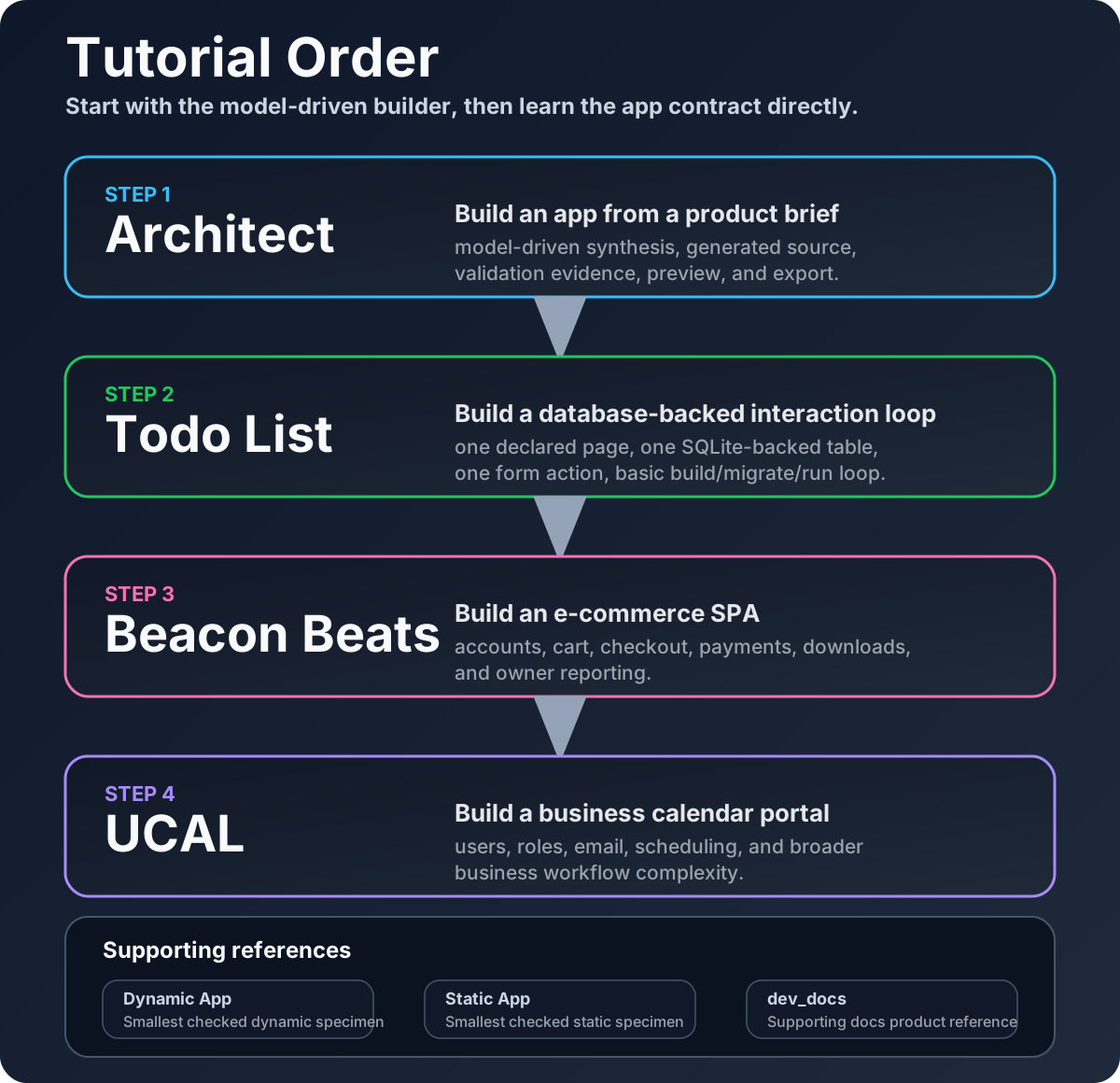
Architect comes first because it shows the fastest path from a product idea to a generated Pharos app. The hand-authored app tutorials then show how the same framework primitives work when you edit declarative source directly. Use the examples this way:
- start with Architect when you want the model-driven app builder experience: prompt, review, validate, preview, and export
- open
todo_listfor the smallest hand-authored database-backed interaction loop - move to
commerce_spawhen you want a relational product example with checkout - move to
ucalwhen you want scheduling, roles, workflows, and email - use
dynamic_app,static_app, anddev_docsas compact references for specific app shapes
What each path shows
Architect
Start here for the quickest AHA moment: describe an app, let the model-driven builder synthesize the app model and source, then inspect the generated app and evidence files.
- text, file, PDF, image OCR, and voice context intake when the matching local artifacts or vendor routes are configured
- generated routes, actions, entities, templates, CSS, README,
ACCEPTANCE.md, andBUILD-EVIDENCE.json - local build, verify, seed, and doctor checks before export
- a verified source bundle that excludes runtime state, attachments, transcripts, databases, vault paths, and secrets
Files to study: apps/architect/pharos.app.yml, docs/architect.md, docs/quickstart/architect.md, and docs/reference/architect-media-artifacts.md
todo_list
Use this next for the smallest hand-authored full interaction loop.
- a normal form
- a declared action
- an authoritative SQLite query
- a fragment refresh without app-written fetch or API glue
Files to edit: pharos.app.yml, templates/home.page.yml, and data/features/tasks.yml
commerce_spa
Open this for the strongest product example.
- real catalog pages
- session-backed cart and checkout
- protected downloads
- owner reporting
- only one small piece of app-owned JavaScript for audio playback
Files to edit: pharos.app.yml, templates/storefront.body.html, and data/features/cart.yml
ucal
Open this when you want a larger business app.
- users and roles
- owner and customer views
- scheduling
- email and integrations
- broader workflow state
Files to edit: pharos.app.yml, data/contracts/actions.yml, and data/contracts/workflows.yml
dev_docs
dev_docs is the documentation app for the framework.
Use it when you want to study how Pharos documentation is packaged and served:
- repository docs imported into an app build
- app-owned nav and layout
- generated API reference beside authored docs
Files to edit: pharos.app.yml, nav.yml, templates/, and ../../docs/
dynamic_app and static_app
These are reference apps. Use them after the main examples.
dynamic_appdisplays the visual UI elements reference
Files to edit: pharos.app.yml, data/contracts/*.yml, and templates/
static_appis a static packaging reference
Files to edit: pharos.app.yml, payload/, and static/